AI & Modern Technology: The Ultimate Guide to AI Tools & Automation
Introduction
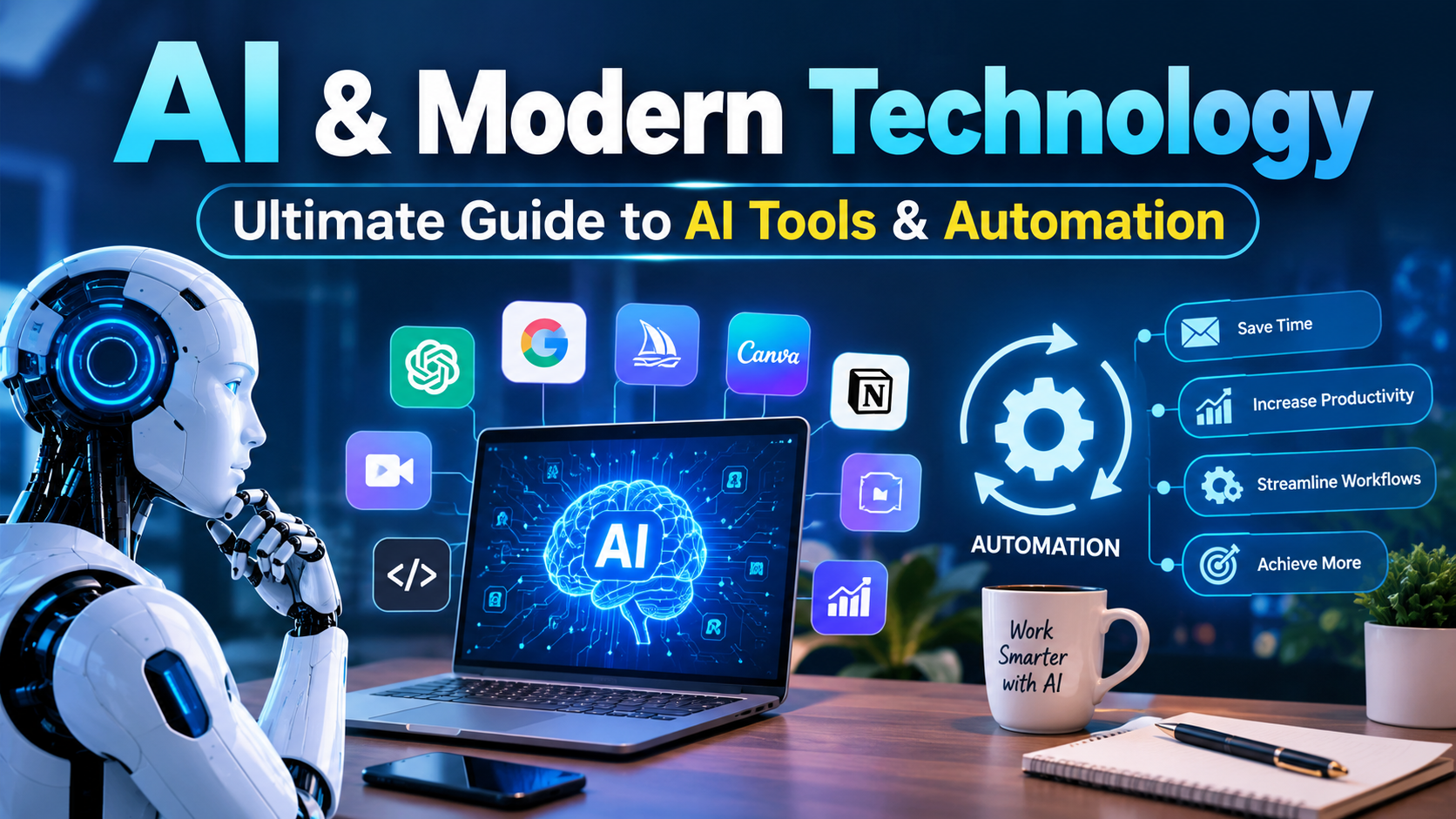
Artificial Intelligence (AI) and modern technology are changing the way people work, communicate, learn, and manage their daily lives. From smart assistants and AI-powered writing tools to automated business processes and intelligent data analysis, technology is making many tasks faster, easier, and more efficient.
Today, AI is no longer limited to large technology companies or experienced developers. Students, freelancers, content creators, entrepreneurs, and small business owners can all use AI tools to improve productivity and simplify their work.
Automation is another important part of this transformation. It allows repetitive tasks to be completed automatically with minimal manual effort. When AI and automation work together, they can help people save time, organize workflows, and focus on more meaningful activities.
In this ultimate guide, we will explore AI and modern technology, the most useful categories of AI tools, how automation works, its benefits and challenges, and how you can start using these technologies effectively.
What Is Artificial Intelligence?
Artificial Intelligence, commonly known as AI, is a field of technology that enables computer systems to perform tasks that typically require human intelligence. These tasks can include understanding language, recognizing patterns, analyzing information, generating content, and making predictions.
Modern AI systems use techniques such as machine learning, deep learning, and natural language processing to work with data and produce useful results.
For example, an AI assistant can help you draft an email, explain a difficult concept, summarize a document, or generate ideas for a new project. Image-generation tools can create visual concepts from text prompts, while AI-powered analytics systems can identify patterns in large datasets.
However, AI is not perfect. Its output can contain errors, outdated information, or misleading claims. Human judgment remains essential when accuracy, privacy, and important decisions matter.
How AI Is Transforming Modern Technology
AI is becoming an important part of many digital products and services. Its influence can be seen across several industries.
1. AI in Business
Businesses use AI to analyze customer feedback, organize information, support customer service, and identify trends. AI-powered chatbots can answer common questions, while data analysis tools can help teams understand business performance.
These applications can improve efficiency, but businesses should still monitor AI-generated responses and protect customer information.
2. AI in Education
AI tools can support students and teachers by explaining complex topics, creating practice questions, summarizing study materials, and helping learners explore new subjects.
For the best results, students should use AI as a learning assistant rather than a replacement for independent thinking, research, or original work.
3. AI in Healthcare
Healthcare professionals can use AI-assisted systems to support medical research, organize clinical information, and analyze certain types of medical data. These systems may help professionals work more efficiently, but they require appropriate validation and expert oversight.
4. AI in Content Creation
Content creators use AI tools to brainstorm blog topics, develop outlines, improve grammar, generate image concepts, and repurpose content for different platforms.
AI can speed up the creative process, but high-quality content still needs original insights, fact-checking, useful examples, and a clear understanding of the audience.
5. AI in Everyday Life
AI already appears in many everyday applications, including navigation systems, spam filters, recommendation engines, translation tools, and voice assistants.
These technologies help people find information, manage digital activities, and interact with online services more conveniently.
What Are AI Tools?
AI tools are software applications that use artificial intelligence to help users complete specific tasks. They range from simple writing assistants to advanced systems that analyze data or automate complex workflows.
The right tool depends on your goals, budget, technical skills, and the type of work you want to accomplish.
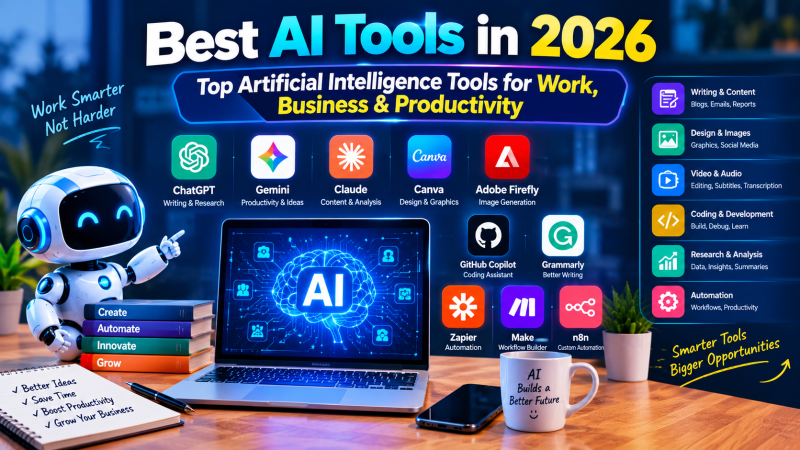
Here are some popular categories of AI tools to explore.
1. AI Writing and Research Tools
AI writing assistants help users brainstorm ideas, draft content, rewrite sentences, summarize information, and improve clarity.
They can be useful for bloggers, students, marketers, and professionals who regularly work with written material.
Examples include ChatGPT, Google Gemini, and Claude.
These tools work best when you provide clear instructions, relevant context, and specific expectations. Always verify factual claims before publishing AI-assisted content.
2. AI Image and Design Tools
AI image tools can generate illustrations, creative concepts, and visual assets from written prompts. Design platforms also offer AI-assisted features for layouts, presentations, and marketing materials.
Examples include Adobe Firefly, Canva AI features, and other image-generation platforms.
Before using generated visuals commercially, review the platform’s current licensing terms and any applicable restrictions.
3. AI Video and Audio Tools
AI-powered video and audio applications can help with transcription, subtitles, editing, voice cleanup, and the creation of short-form content.
These tools can be especially useful for educators, video creators, and digital marketers who need to produce content efficiently.
Always obtain appropriate permission before using another person’s voice, image, or personal content.
4. AI Coding Tools
AI coding assistants can explain programming concepts, suggest code, identify potential errors, and help developers understand unfamiliar projects.
Examples include GitHub Copilot and other AI-assisted development tools.
Generated code should be reviewed, tested, and checked for security issues before it is used in a real application.
5. AI Data Analysis Tools
AI-assisted data tools help users explore spreadsheets, identify trends, summarize datasets, and create reports.
They can support business planning, research, and routine reporting. However, results depend on data quality, correct interpretation, and appropriate validation.
What Is Automation in Modern Technology?
Automation is the process of using software or machines to perform tasks with limited manual intervention. It can range from simple scheduled activities to workflows involving multiple applications.
For example, a business might automatically send a confirmation email after a customer submits a form. A blogger might organize new article ideas in a spreadsheet, while a marketing team might schedule approved social media posts.
Traditional automation follows predefined rules. AI-powered automation can also use AI models to interpret text, classify information, summarize documents, or generate suggested responses.
The distinction is important: AI can help interpret information, while automation connects actions and moves work through a process.
Best Automation Tools for Productivity
Several platforms make it easier to connect applications and create automated workflows without building everything from scratch.
1. Zapier
Zapier connects supported applications and triggers actions when specific events occur. For example, a new form submission could create a task in a project management application.
It is useful for people who want to automate routine processes with relatively little coding.
2. Make
Make provides a visual workflow builder that allows users to connect applications and design more detailed automation scenarios.
It can be useful for workflows involving multiple steps, conditions, and data transformations.
3. n8n
n8n is a workflow automation platform that supports integrations and AI-related workflows. It can be suitable for users who want more flexibility and are comfortable learning technical concepts.
Depending on the deployment method, users may have options for hosting workflows themselves or using a managed service.
4. Microsoft Power Automate
Microsoft Power Automate helps users automate tasks across supported applications and services. It can be particularly useful for organizations already working within the Microsoft ecosystem.
Available features depend on the connected services, account type, and licensing plan.
Before choosing an automation platform, compare its supported integrations, pricing, privacy controls, reliability, and technical requirements.
How AI and Automation Work Together
AI and automation become especially useful when they are combined in a carefully designed workflow.
Consider a simple example for a technology blog:
- A reader submits a question through a website form.
- An automation platform captures the submission.
- An AI tool categorizes the question by topic.
- The workflow saves the question in a content planning spreadsheet.
- The blogger reviews the idea and decides whether to develop it into an article.
This process reduces repetitive organization work while keeping editorial decisions under human control.
Other possible applications include sorting customer inquiries, summarizing meeting notes, classifying support tickets, and preparing draft reports.
The key is to automate predictable tasks while maintaining human review for decisions that require judgment, expertise, or accountability.
Benefits of AI Tools and Automation
AI and automation offer several practical advantages when implemented appropriately.
Improved Productivity
AI can help users brainstorm, summarize, draft, and organize information more quickly. Automation can reduce the time spent transferring data between applications or repeating routine actions.
Reduced Repetitive Work
Tasks such as sending standard notifications, organizing submissions, and generating recurring reports can often be automated.
Better Access to Information
AI assistants can help users explore unfamiliar topics, understand technical language, and organize large amounts of information.
Support for Creativity
AI tools can suggest article ideas, presentation structures, design concepts, and alternative approaches to a problem. Users can then refine those suggestions using their own experience and creativity.
Scalable Workflows
Well-designed automation can help a small team handle a growing volume of routine work without increasing manual effort at the same rate.
However, these benefits are not guaranteed. Results depend on the quality of the tools, the workflow design, and the way people use and supervise the systems.
Challenges and Risks of AI Technology
Despite its advantages, AI technology introduces important challenges that users should understand.
1. Inaccurate Information
AI systems can generate convincing but incorrect answers. Verify important facts using reliable sources, especially when creating educational, technical, financial, or health-related content.
2. Privacy and Data Security
Avoid entering confidential business information, passwords, sensitive personal data, or private customer records into tools unless you have confirmed that the service is appropriate and authorized for that use.
3. Bias and Fairness
AI outputs may reflect limitations or biases in their training data. High-impact uses require careful testing, oversight, and appropriate safeguards.
4. Overdependence on Automation
Automating a poorly designed process can make mistakes happen more quickly or repeatedly. Workflows should include monitoring, error handling, and a way for people to intervene.
5. Cost and Learning Requirements
Some AI platforms have free options, while advanced features may require paid plans. Businesses should evaluate the total cost, including setup, maintenance, training, and human review.
Responsible AI adoption means understanding both what a tool can do and where it may fail.
How to Start Using AI Tools and Automation
If you are new to AI, you do not need to learn every platform at once. Start with a clear goal and expand gradually.
Step 1: Identify a Repetitive Task
Choose one task that consumes unnecessary time, such as brainstorming blog topics, organizing form submissions, or preparing routine summaries.
Step 2: Select the Right AI Tool
Choose a tool that matches your specific need. A writing assistant may be suitable for drafting ideas, while a workflow platform may be better for connecting applications.
Step 3: Write Clear Instructions
When using an AI assistant, explain the task, provide context, specify the intended audience, and describe the format you need.
For example, instead of asking for a general technology article, specify the topic, audience, desired headings, practical examples, and tone.
Step 4: Build a Simple Workflow
Start with a small automation involving only a few steps. Test it with sample information before connecting it to important accounts or business processes.
Step 5: Review the Results
Check the accuracy, quality, security, and reliability of the output. Keep a human approval step wherever mistakes could have significant consequences.
Step 6: Improve Gradually
Once the workflow works consistently, look for opportunities to simplify it, improve error handling, or connect additional applications.
This gradual approach makes AI adoption easier to manage and helps users understand its real value.
The Future of AI and Modern Technology
AI and automation are likely to continue evolving as software becomes more capable and digital systems become more connected.
AI agents are one area of development. These systems can be designed to pursue defined goals, use supported tools, and complete sequences of actions under specified permissions. Their reliability and autonomy vary, so careful supervision remains important.
Other developing areas include multimodal AI, which works with combinations of text, images, audio, and video; AI-assisted software development; and intelligent systems that help people analyze complex information.
The future of technology will not depend only on more powerful models. It will also depend on security, transparency, responsible data use, accessibility, and the ability of people to understand and supervise automated systems.
For individuals and businesses, learning how to evaluate and use AI effectively can be a valuable long-term skill.
Frequently Asked Questions (FAQs)
What are AI tools used for?
AI tools can assist with writing, research, image creation, coding, data analysis, translation, and many other tasks. Their usefulness depends on the specific tool and the quality of the instructions provided.
Are AI tools suitable for beginners?
Yes. Many AI tools offer user-friendly interfaces that allow beginners to get started without programming knowledge. More advanced automation workflows may require additional learning.
What is the difference between AI and automation?
AI enables systems to perform tasks such as generating content, interpreting language, or identifying patterns. Automation connects actions and executes workflows based on rules, triggers, or other conditions. The two can be combined.
Can AI and automation help bloggers?
Yes. Bloggers can use AI to brainstorm topics, create outlines, improve drafts, and develop visual concepts. Automation can help organize content ideas, manage submissions, and coordinate publishing-related tasks.
Human editing, fact-checking, originality, and editorial judgment remain important for publishing useful content.
Are AI tools free?
Some tools offer free plans or limited free features, while others require subscriptions or usage-based payments. Pricing and available features can change, so check the provider’s official website before choosing a plan.
Will AI replace human creativity?
AI can assist with creative tasks, but it does not remove the value of human experience, judgment, originality, and understanding of context. Many effective workflows combine AI assistance with human direction and review.
Is AI automation safe?
It can be safe when properly configured, tested, and monitored. Users should review permissions, protect sensitive information, validate outputs, and establish safeguards for important actions.
Conclusion
AI and modern technology are reshaping how people work, learn, create, and manage information. AI tools can assist with writing, research, design, coding, and analysis, while automation platforms connect applications and reduce repetitive tasks.
The most effective approach is not to automate everything or rely on AI for every decision. Instead, identify useful applications, select appropriate tools, test workflows carefully, and maintain human oversight.
Whether you are a student, blogger, freelancer, entrepreneur, or business professional, understanding AI tools and automation can help you work more efficiently and adapt to a changing digital world.
Start with one practical use case, learn from the results, and expand your approach as your skills develop. With responsible use and continuous learning, AI can become a valuable part of your modern technology toolkit.